


Slack
4.67.83K Reviews
App Specs
- Version
- 26.09.50.0
- Updated On
- License
- Free
- Downloads
- 50,000,000+
- Developer
- SLACK TECHNOLOGIES L.L.C.
- Categories
- Business
- Platform
- Android, iOS
Screenshots
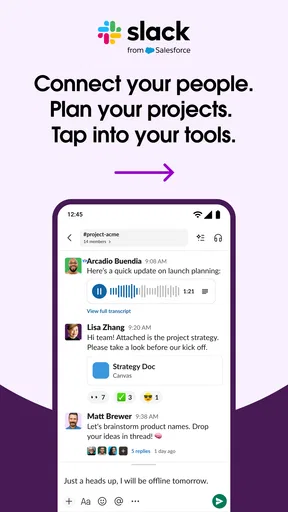
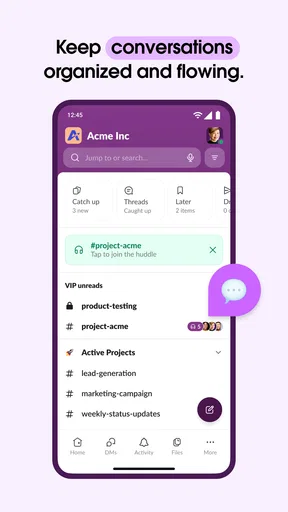
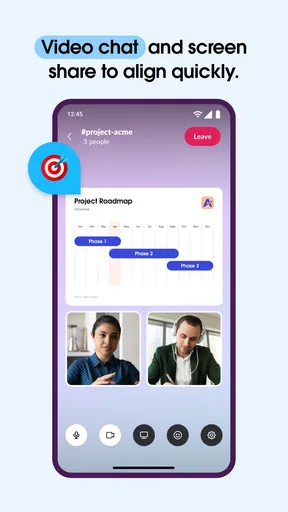
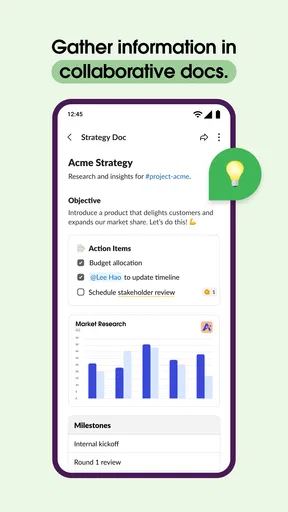

 Analysis by AppCompare
Hey there! So, I’ve been diving into the world of Slack, and let me just say, it’s like discovering a digital watercooler for all your team needs. Whether you’re managing a large corporation or a small startup, this app is designed to keep everyone connected and on the same page. Let’s break down what makes Slack a must-have for modern workplace communication.
A better starting point than a pile of group chats
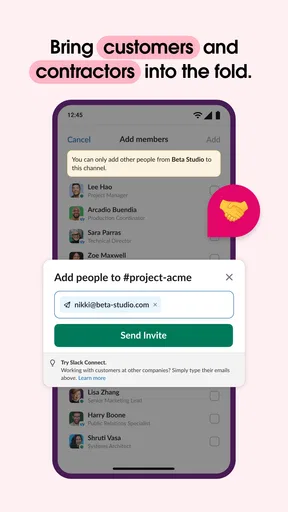
Slack makes the most sense when a team has conversations that need to stay findable after the immediate moment has passed. In a typical group chat, a decision about a deadline can disappear beneath lunch plans and quick questions. Here, channels give recurring subjects their own place, so a project discussion can remain separate from general team chatter. I find that distinction useful even for a small group: the value is less about having more rooms and more about knowing where a future question belongs.
A realistic day might begin with a quick check of a project channel, a direct message to a colleague about one detail, and a search for the document someone shared yesterday. That sequence is where the app earns its keep. It reduces the need to remember which conversation contained a decision, provided the team uses clear channel names and keeps important discussions in the relevant place.
Slack is a free business communication app from SLACK TECHNOLOGIES L.L.C. It has a 4.6 average from around 197 thousand ratings and has been installed over 10 million times. The age rating is Everyone, and it has been available since July 2013. Those figures suggest broad use, but they do not tell you whether its conversational style suits your particular team; that depends on how much coordination you do and whether people are willing to maintain a few shared habits.
Getting Started with Slack
First things first, getting started with Slack is a breeze. You download the app, sign up, and voila! You’re ready to create or join a workspace. The user interface is intuitive, making it easy for even the least tech-savvy among us to navigate. Once you’re in, setting up channels for different projects or teams is as simple as clicking a button. Trust me, you’ll be setting up channels like a pro in no time.
Features That Stand Out
Now, onto the fun stuff—features! Slack isn’t just about sending messages; it’s about enhancing productivity and communication. Here are some standout features:
- Channels: Organize conversations by topics, projects, or anything else that suits your fancy.
- Direct Messages: Need to chat one-on-one? Direct messages have got you covered.
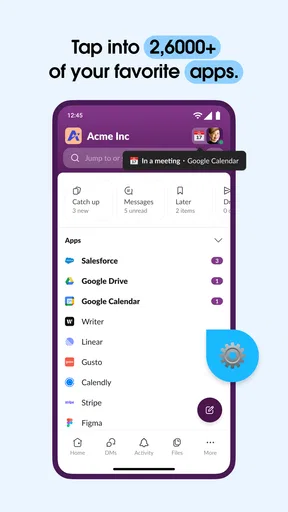
- Integrations: From Google Drive to Trello, Slack integrates with over 2,000 apps, making it a powerhouse for collaboration.
- Search Functionality: This is a lifesaver. Quickly find past messages, files, and channels with ease.
- File Sharing: Drop files directly into Slack and keep everything in one place.
The integrations are particularly noteworthy. They allow you to bring all your tools into one place, which is a major time-saver. No more switching between a dozen apps—everything you need is right there in Slack.
Worth Reading Before You Choose

Flipboard Shows What News Apps Must Do Beyond the Feed

Switching to Android Auto Means Rethinking Your Driving Routine

Google Calendar Makes a Crowded Week Easier to Manage

Ludo King Makes the Most of the Minutes Between Plans

Baby Panda World Brings Quick Play to Modern Phones, but Its Game Library Feels Busy

ESPN’s Live Game View Makes Following Close Games Easier
Settings that make a noisy workspace manageable
Notifications deserve attention before a busy workspace starts dictating your day. I’d begin by deciding which conversations genuinely need an immediate alert and which can wait for a deliberate check-in. A channel can be useful without demanding attention every time someone posts. Setting a status when you are focused or away also gives colleagues context without requiring you to explain your availability in several separate messages.
There is a trade-off here: turning alerts down protects concentration, but overdoing it can make you miss a time-sensitive request. I prefer a routine of checking the channels that matter at predictable moments, then using direct messages for genuinely urgent coordination rather than treating every new message as urgent. Teams should agree on what “urgent” means; otherwise, notification settings cannot fix mismatched expectations.
Search works best when you treat it as a way to retrieve a decision, not merely a way to scroll through old chat. When sharing a file or settling a choice, add a few words that explain what it is and why it matters. A future search for a project name plus “approved” or “draft” is much more useful than trying to remember the exact wording of a casual exchange. This small habit makes Slack’s history more valuable without adding a separate record-keeping system for every conversation.
Faster patterns for everyday teamwork
Once the basics feel comfortable, I’d build a few repeatable habits rather than trying to master every control. Open the relevant channel before asking a project question, reply in the existing conversation when the subject is already underway, and use a direct message when the discussion is genuinely private or limited to two people. This keeps shared answers visible to teammates who may need them later and reduces the temptation to duplicate the same question in several places.
Keyboard shortcuts can make desktop use quicker, while the mobile app is handy for checking a decision or sending a short update away from a desk. I would not assume that mobile is the best place to handle a long planning discussion: typing, comparing files, and following several threads can be more comfortable on a larger screen. A practical split is to use a phone for quick awareness and a computer for composing longer, more considered messages.
Integrations can help, but I would add them selectively. Bringing a tool’s updates into a channel is useful only if those updates help someone act; a stream of low-value alerts can bury human conversation and recreate the clutter the workspace was meant to reduce. Before adding an integration, decide which event deserves a post and who is expected to respond. If the answer is “nobody in particular,” keeping that information in its original tool may be cleaner.
Where Slack fits—and where it doesn’t
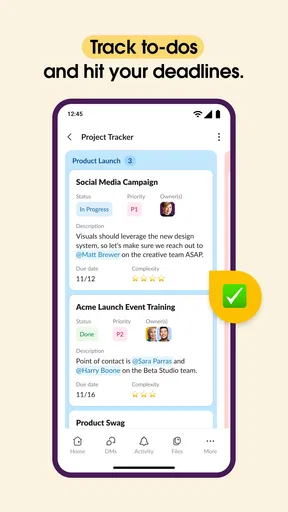
Compared with ordinary group messaging, Slack gives work conversations a more deliberate structure through workspaces and channels. Compared with email, it is better suited to quick back-and-forth coordination and questions that benefit from a shared discussion, while email can be a better fit when a formal message needs a clear recipient list or a carefully composed record. It is not a replacement for every project-management or document tool: a chat decision can be easy to overlook if the team needs a dependable task owner, due date, or polished file as the lasting source of truth.
That distinction matters for small teams too. A handful of people who already talk face to face and rarely need to revisit past decisions may find another communication app unnecessary. Teams spread across projects, shifts, or locations are more likely to benefit, especially when several people need the same answer. I would skip Slack if the team is unwilling to agree on channel purpose or response expectations; without those habits, it can become another inbox rather than a clearer way to work.
Slack’s current version is 26.06.10.0, and the listed minimum operating system is version 10. It is free to download, though the experience can involve a choice between free and paid plans as a team’s needs grow. I would check what the team actually needs before budgeting around advanced capabilities: if the core requirement is straightforward conversation, start with the free option and assess any limits in the context of your real workflow rather than paying for features you may not use.
Why You’ll Love It
So why is Slack such a hit with teams across the globe? For one, it fosters a sense of community. With remote work becoming the norm, having a platform where everyone can stay connected and engaged is crucial. Slack does this exceptionally well, with its casual and informal vibe that encourages open communication.
Plus, the customization options are endless. You can personalize notifications, set statuses, and even automate tasks with Slackbot. It’s like having a personal assistant right in your app!
The Downsides
Of course, no app is perfect, and Slack does have a few quirks. Notifications can sometimes be overwhelming, especially if you’re part of multiple workspaces. However, with some tweaking in the settings, you can manage them to your liking.
Another thing to consider is that while the free version is robust, some advanced features are only available in the paid plans. This might be a dealbreaker for some, but for those who can swing it, the extra features are well worth it.
Final Thoughts
All in all, Slack is a game-changer for team communication. Its user-friendly interface, coupled with a plethora of features and integrations, makes it a top choice for businesses of all sizes. Whether you’re coordinating a big project or just looking to chat with your team, Slack has got you covered.
So, if you haven’t tried it yet, what are you waiting for? Give it a whirl and see how it transforms your work life. Trust me, once you go Slack, you’ll never look back!
Pros
- User-friendly interface and navigation.
- Seamless integrations with other tools.
- Customizable notifications settings.
- Efficient team collaboration features.
- Robust search functionality.
Cons
- Limited free version features.
- Can be distracting with constant alerts.
- Requires stable internet connection.
- Learning curve for new users.
- Mobile app drains battery quickly.
FAQs for Slack
What is Slack, and how does it work?
Slack is a team communication and collaboration app designed to streamline workplace communication. It allows users to create channels for different projects, share files, and integrate with various productivity tools. Users can send messages, make voice and video calls, and keep everything organized in one place.
Is Slack secure for business communication?
Yes, Slack prioritizes security with features like data encryption, two-factor authentication, and compliance with various regulations such as GDPR. It offers enterprise-grade security to ensure that your business communications remain private and secure. Regular updates and security audits help maintain its robust security infrastructure.
Can Slack integrate with other tools we use?
Slack integrates with a wide range of third-party applications, including Google Drive, Microsoft Office 365, Zoom, and many others. This makes it easy to streamline your workflow by bringing all your tools into one platform, allowing for more efficient communication and collaboration across different services.
How does Slack's pricing structure work?
Slack offers several pricing tiers, starting with a free version that includes basic features. Paid plans, such as the Standard and Plus plans, offer enhanced features like increased message history, app integrations, and administrative controls. Enterprise Grid is available for larger organizations needing advanced security and compliance features.
Can Slack be used on mobile devices?
Yes, Slack is available on both Android and iOS, allowing users to access their workspace from anywhere. The mobile app offers all the core features of the desktop version, including messaging, file sharing, and notifications, ensuring seamless communication on the go.


